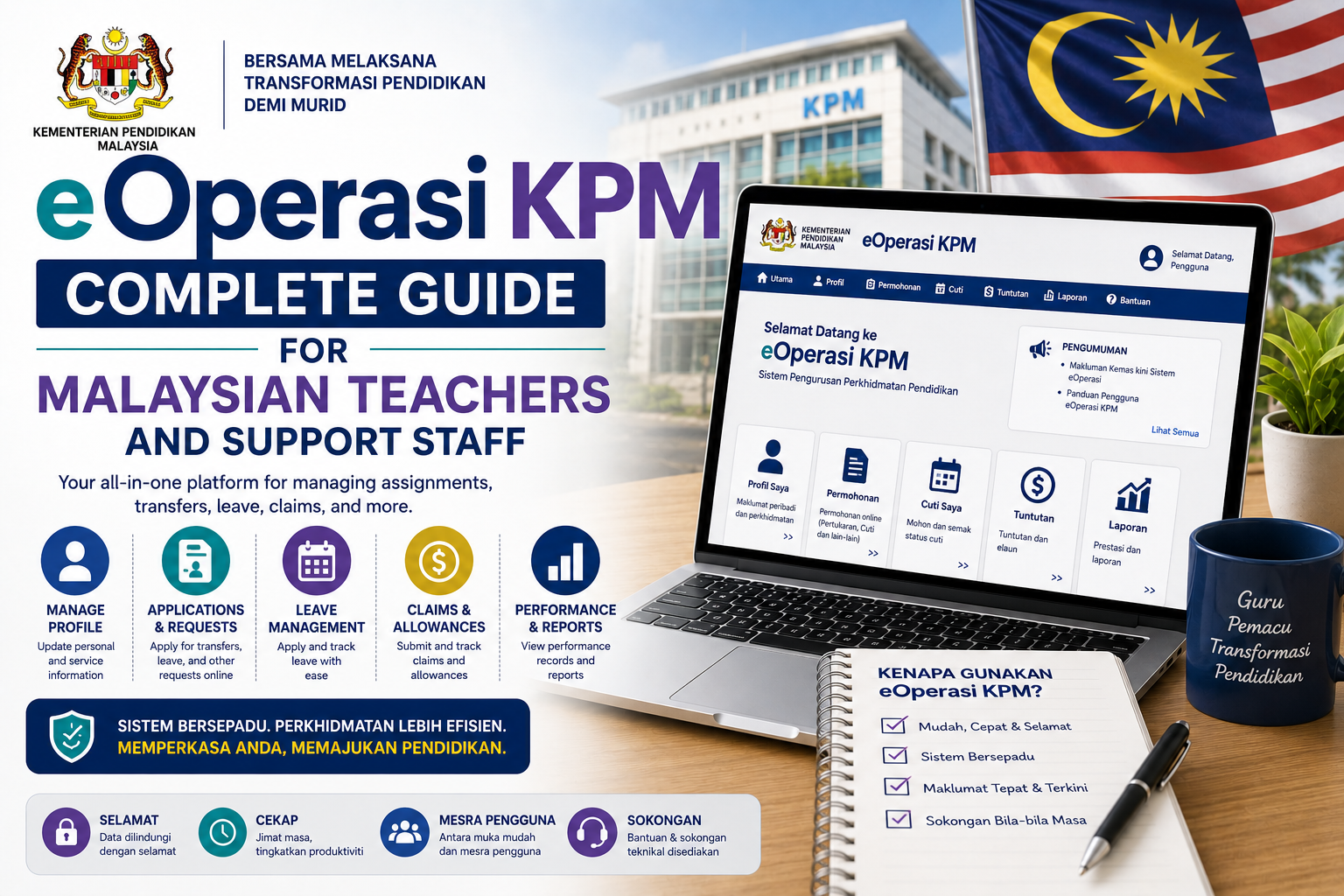
eOperasi KPM Complete Guide for Malaysian Teachers and Support Staff
eOperasi is the official online service management system developed by the Malaysian Ministry of Education (Kementerian Pendidikan Malaysia, KPM) to help teachers and Implementation Group Members (Anggota Kumpulan Pelaksana, AKP) manage their service records digitally.
For a full guide covering how to log in, update your data, understand the BSKG, apply for transfers through eGTukar and resolve common technical problems, visit http://eoperasi.com.my, an independently maintained resource portal written in plain language for every teacher in the Malaysian education service.
What Is eOperasi KPM?
eOperasi is an online module operating under the School Management System (Sistem Pengurusan Sekolah, SPS) of the Malaysian Ministry of Education. Its primary purpose is to record, coordinate and verify the service data of teachers and non-teaching staff across government and government-aided schools throughout Malaysia.
Among teachers, the system is also commonly referred to as the Teacher Management Module (Modul Pengurusan Guru, MPG). Both names refer to the same platform. It was developed by the Information Management Division (Bahagian Pengurusan Maklumat, BPM) and is jointly supervised by the Daily School Management Division (BPSH), the Human Resource Management Division (BPSM) and the Education Operations Sector (SOP). The official access point for the system is exclusively through eoperasi.moe.gov.my.
Why eOperasi Matters More Than Most Teachers Realise
Many teachers treat eOperasi as just another annual form to fill in and forget. In reality, it serves as the master database of a teacher’s entire service record. Any error left uncorrected here will carry over into related systems such as eGTukar for transfer applications, ePangkat for promotions, and even housing loan processes.
A simple example illustrates this well. An incorrect teaching option recorded in eOperasi today could result in a transfer application being automatically rejected two or three years down the line. Similarly, incomplete academic qualification records can affect promotion eligibility. Understanding how eOperasi works is therefore a professional responsibility for every teacher, not something that can be left entirely to school administrators.
Key Modules in eOperasi
The eOperasi system is made up of several important modules that every teacher and AKP member should be familiar with.
Personal and Service Information is the core module that records a teacher’s full name, identity card number, salary number, service grade, teaching option, date of appointment and confirmation of position. This is the section most frequently reviewed and updated by teachers during annual data verification cycles.
Teacher Status Form (Borang Status Kedudukan Guru, BSKG) shows a teacher’s placement according to their teaching option at a given school, including whether there is a surplus or shortage of teachers in a particular subject area. This information becomes one of the key factors considered when a teacher applies for a transfer through eGTukar.
Teacher Attendance Module (Modul Keberadaan Guru) records teacher presence and attendance on school days, which is used by administrators for reporting purposes and human resource management at the school level.
Subject Information Module (Modul Maklumat Subjek) contains an analysis of the subjects taught by a teacher, including elective subjects, Vocational Subjects (Mata Pelajaran Vokasional, MPV) and Vocational Foundation Programme (Program Asas Vokasional, PAV).
Qualifications and Courses records a teacher’s academic qualifications, professional credentials and training programmes attended throughout their period of service.
Who Uses eOperasi?
The system is used by three main categories of users. The first group is trained teachers and relief teachers serving in government and government-aided schools under KPM. The second group is AKP members including administrative assistants, student management assistants and laboratory assistants. The third group is System Administrators who are officially appointed at the school, District Education Office (Pejabat Pendidikan Daerah, PPD), State Education Department (Jabatan Pendidikan Negeri, JPN) and divisional levels within KPM.
New teachers who have just reported for duty cannot register their own accounts independently. They must first be registered by the school’s System Administrator before they are able to access the system.
The Multi-Level Data Verification Process
One of the most common sources of confusion among teachers is why data that has already been entered into the system is still considered incomplete or unverified. This happens because eOperasi data goes through a structured chain of verification before it is considered final.
At the first level, the teacher reviews and fills in their information in the system. Fields that appear greyed out cannot be changed by the teacher and require the assistance of a System Administrator. At the second level, the school’s System Administrator, usually the Senior Assistant for Administration or the Data Teacher, reviews and endorses the data. Without this step, the teacher’s data remains as a draft and has no official standing. At the third level, the District Education Office conducts verification at the district level. At the fourth and final level, the State Education Department confirms the data at the state level. Once this stage is complete, the data is considered final for planning and service administration purposes.
Because of this multi-level process, the deadlines announced at the school level are almost always earlier than the official KPM closing date. This earlier internal deadline exists to allow sufficient time for verification at every level of the hierarchy.
How eOperasi Differs from Other KPM Systems
Teachers frequently confuse eOperasi with other KPM systems because of similar-sounding names. Understanding the distinction between these platforms saves significant time and frustration.
eOperasi handles service record data for teachers and AKP members. APDM is a student database that tracks student attendance and related information. HRMIS is a public sector human resource system covering leave records, Annual Performance Assessment Reports (LNPT) and JPA service records. eGTukar is a dedicated portal specifically for teacher transfer applications and tracking. DELIMa is the digital learning platform and KPM identity management system (IDME) used by both teachers and students.
Knowing which system to go to for a particular matter means teachers can resolve issues more efficiently without going back and forth between platforms unnecessarily.
How to Log In to eOperasi
Access to eOperasi is only possible through the official KPM portal at eoperasi.moe.gov.my. Teachers must use the user ID and password provided by their school’s System Administrator. Any other website that requests your eOperasi login credentials is an unofficial platform and should be reported to the relevant authorities immediately.
If a teacher forgets their password or encounters difficulties during the login process, the first point of contact should be the school’s System Administrator. More complex account issues may need to be escalated to the District Education Office or State Education Department depending on the nature of the problem.
Common Issues Faced by Teachers
Several recurring problems are reported by teachers across the country each year. One of the most frequent is data that cannot be updated independently because certain fields are locked and can only be modified by a System Administrator. Another common issue is login failure caused by an expired password or an incorrectly entered user ID.
There are also cases where data that has already been updated does not appear to have changed. This usually occurs because the verification process at the school or district level has not yet been completed. In such situations, the teacher should follow up with the System Administrator to ensure the endorsement is done before the stated deadline.
Teachers who are newly posted to a school sometimes find that their data has not yet been transferred or linked to the new school. This is a process that needs to be coordinated between the old school, the new school and the District Education Office.
Tips for Keeping Your eOperasi Data Accurate
There are several practical habits that every teacher should adopt to keep their service records in good order. Reviewing your eOperasi data at least once a year during the official verification window is the most important step. Checking that your teaching option matches the subjects you are actually teaching is equally critical, as mismatches are a common cause of transfer application failures. Ensuring that all academic qualifications and professional certificates are properly recorded helps to avoid complications during promotion assessments. If you notice any discrepancies, reporting them to the System Administrator as early as possible gives the school and district enough time to process corrections before the deadline closes.
Conclusion
eOperasi is far more than a routine administrative task. It is the official foundation of a teacher’s service record in the Malaysian education system, influencing everything from transfers and promotions to workload distribution and school planning. Keeping your data accurate and current is not just good practice but a direct investment in your professional future.